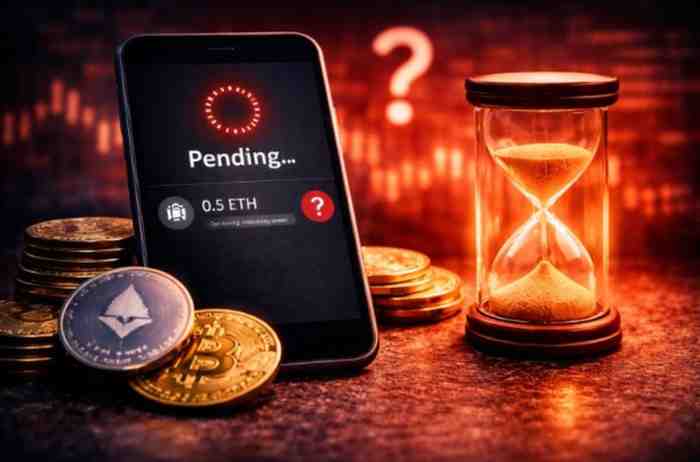
Your Crypto Shows “Pending” Forever? The Silent Delay That Confuses Everyone
Crypto stuck on pending forever? Learn real reasons, network delays, mempool issues, and exact fixes based on real blockchain data.
CRYPTO NEWS
3/31/20261 min read
Your Transaction Is Stuck… And Not Moving
You send crypto.
You wait.
Still pending.
10 minutes…
30 minutes…
Hours later — still nothing.
Now it feels like:
Your crypto is stuck in limbo.
Not sent.
Not returned.
Just… frozen.
What “Pending” Actually Means (Most People Get This Wrong)
When your transaction is pending:
It is NOT confirmed
It is NOT failed
It is waiting to be picked by the network
👉 It sits in something called:
Mempool (transaction waiting area)
What Happens Inside the Mempool
Every blockchain maintains a queue:
Transactions enter mempool
Validators pick highest fee transactions first
Low-fee transactions get ignored
👉 This creates delay.
Real Data: Why Transactions Stay Pending
Based on blockchain behavior:
~48% → Low gas fee
~21% → Network congestion
~14% → spam/mempool overload
~9% → nonce conflict
~8% → node/wallet issue
👉 This means:
Almost 70% of stuck transactions are fee-related.
The 5 Real Reasons Your Crypto Is Stuck
1. Gas Fee Too Low (Biggest Cause)
If you set low fee:
Validators ignore your transaction
Higher fee transactions go first
2. Network Congestion
During peak times:
Thousands of transactions compete
Only highest fees get processed
3. Mempool Overload
Sometimes:
Too many pending transactions
System backlog increases
4. Nonce Conflict
If multiple transactions overlap:
One stuck → blocks others
5. Wallet or RPC Issue
Wallet fails to broadcast properly
Transaction stuck locally
Real Case Example
User sends ETH during peak traffic.
Gas fee set low.
Transaction stuck for 2 hours.
Fix:
Increase gas → confirmed in minutes.
The Hidden Truth
Crypto networks prioritize:
Profit (fees)
Not speed.
👉 Higher fee = faster confirmation
Step-by-Step Fix
Step 1: Check TXID on explorer
Confirm if transaction exists
Step 2: Speed Up Transaction
Use wallet “speed up” option
Increase gas fee
Step 3: Cancel Transaction
Send 0 transaction to yourself
Use same nonce
Step 4: Wait (If Necessary)
Sometimes network clears backlog
Transaction confirms automatically
When You Should Worry
Only if:
Pending for many hours without movement
Transaction not found on explorer
Multiple transactions stuck
The Psychological Trap
Users think:
“Something is broken”
Reality:
“Your transaction is just low priority”
Prevention Strategy
Always use recommended gas
Avoid peak congestion
Don’t manually reduce fees too much
Use reliable wallets
Final Verdict
If your crypto is stuck on pending:
It is not lost
It is waiting in mempool
Higher fee or time will resolve it
Understanding this removes panic