Your Crypto Wallet Isn’t Safe in 2026 – 21 Hacker Tricks You Must Know Before It’s Too Late
Hackers are stealing crypto using AI phishing, fake airdrops, crypto wallet drainers, and SIM swaps in 2026. If you hold Bitcoin, USDT, or NFTs, read this now before your wallet gets drained. Powered by DropFinder.
CRYPTO NEWS
2/14/20264 min read
Stop Scrolling This Could Save Your Entire Wallet
In 2026, crypto hacks are no longer basic scams.
They are:
AI-generated
Automated
Silent
Extremely fast
Victims don’t even realize what happened.
They connect a wallet.
They sign a transaction.
They approve a token.
And within seconds…
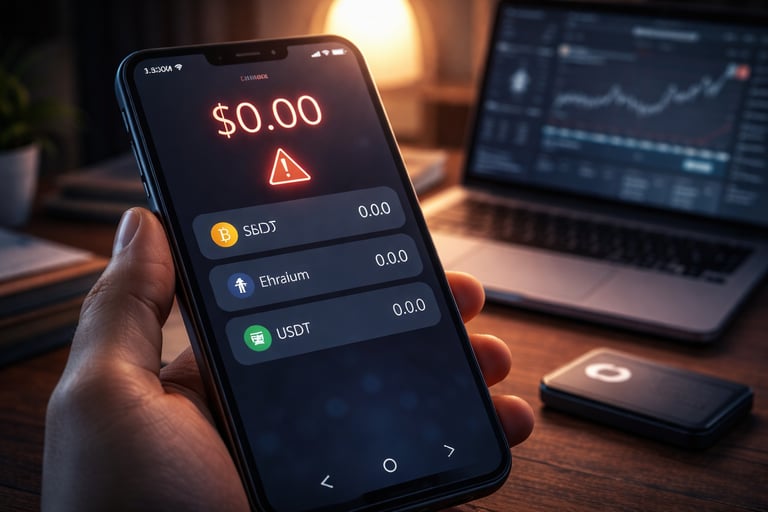
Balance: $0.00
No reversal. No refund. No support ticket.
If you hold crypto in MetaMask, Trust Wallet, Phantom, exchange accounts, or hardware wallets — you are a target.
This is your complete 2026 survival guide.
1. AI-Generated Phishing Websites (Almost Impossible to Detect)
Hackers now use AI to replicate entire crypto websites perfectly.
They clone:
Wallet dashboards
Exchange login pages
NFT mint sites
Airdrop claim portals
The page looks real.
The SSL certificate is valid.
The design is identical.
But the URL is slightly off by one letter.
You enter your seed phrase.
Your wallet is drained instantly.
Protection:
Never enter seed phrase online.
Bookmark official URLs.
Verify domain spelling carefully.
2. Wallet Drainer Smart Contracts (2026’s #1 Threat)
The most dangerous trend of 2026 is wallet drainers.
You see:
“Claim 1200 FREE tokens.”
You connect wallet.
You click “Approve.”
But hidden in the transaction:
Unlimited token access
NFT transfer rights
Spending permissions
Once approved, hackers automatically move assets out.
You signed it yourself.
Protection:
Read transaction permissions.
Use separate wallet for airdrops.
Regularly revoke approvals.
3. Deepfake Support Calls
AI can now clone voices.
Hackers call pretending to be:
Exchange support
Project team
Security department
They say your account is compromised and request:
Seed phrase
Verification code
Wallet connection
They sound real.
But no legitimate company will ever ask for your seed phrase.
Protection:
Hang up.
Verify through official website.
Never share recovery phrase.
4. SIM Swap Attacks
You suddenly lose network signal.
Within minutes:
Password reset triggered
SMS 2FA bypassed
Funds withdrawn
Hackers transfer your phone number to their SIM.
Protection:
Use authenticator apps (not SMS).
Enable SIM lock.
Set exchange withdrawal whitelist.
5. Google Ads Phishing
The first result on Google might be an ad.
Hackers buy ads for fake exchange websites.
You click.
You log in.
You lose everything.
Protection:
Avoid clicking sponsored results.
Bookmark official exchanges.
Double-check URLs.
6. Malicious Browser Extensions
Some extensions secretly:
Log keystrokes
Capture seed phrases
Inject malicious transactions
Even browser stores sometimes host fake copies.
Protection:
Install only trusted extensions.
Remove unnecessary plugins.
Keep browser updated.
7. Clipboard Address Hijacking
You copy your wallet address.
Malware changes it in clipboard.
You paste and send funds to attacker.
Transaction confirmed.
Funds gone forever.
Protection:
Always verify first and last 6 characters.
Use hardware wallet display confirmation.
8. Fake Airdrop Campaigns
Hackers exploit airdrop hype.
You see:
“Massive new token airdrop – connect wallet.”
The website looks clean.
Social media looks real.
But the contract is malicious.
You approve unlimited spending rights.
Protection:
Verify from trusted platforms like DropFinder before connecting.
Never rush blindly into new claims.
9. NFT Mint Rush Scams
During high-demand NFT launches:
Fake mint websites appear minutes before launch.
You think you're minting an NFT.
But the transaction actually transfers ETH directly to attacker.
Protection:
Confirm contract address.
Verify official social media links.
10. Fake Exchange Mobile Apps
Scammers upload fake exchange apps.
You deposit crypto.
App disappears.
No support exists.
Protection:
Download only from official website.
Check developer name carefully.
11. Token Upgrade & Migration Emails
You receive:
“Your token must migrate to new contract.”
You click.
You approve transaction.
You lose everything.
Protection:
Always verify official announcements.
Never trust random email links.
12. Telegram & Discord Impersonation
Fake admins DM you:
“You won whitelist.”
They send malicious link.
Real admins never DM first.
Protection:
Disable DMs from strangers.
Double-check usernames.
13. Public Wi-Fi Interception
Using wallet on public Wi-Fi exposes you to:
Session hijacking
Man-in-the-middle attacks
Transaction manipulation
Protection:
Avoid public Wi-Fi for crypto.
Use mobile data or secure VPN.
14. Fake Hardware Wallet Firmware Updates
You receive email about critical update.
Download is fake.
Firmware steals seed phrase.
Protection:
Only update through official software.
Never enter seed phrase on computer.
15. Dusting Attacks
You receive tiny random tokens.
You try to swap them.
Hidden smart contract drains wallet.
Protection:
Ignore unknown tokens.
Do not interact with suspicious assets.
16. Fake AI Trading Bots
“Guaranteed 5% daily profit.”
You connect wallet.
Bot asks approval.
Funds drained.
There is no guaranteed profit.
Protection:
Avoid unrealistic promises.
Separate wallet for experiments.
17. QR Code Drainers
QR codes shared in groups:
“Scan to claim reward.”
Scanning opens malicious contract link.
Protection:
Never scan unknown crypto QR codes.
18. Malware Hidden in Whitepapers
You download:
Airdrop PDF
Project document
Crypto guide
File installs spyware.
Protection:
Avoid downloading unknown crypto files.
19. Social Media Giveaway Scams
Fake verified accounts promise:
“Send 0.5 ETH, get 1 ETH.”
This still works in 2026.
Because people still believe it.
20. Fake Job Offers in Web3
Remote job offer asks you to:
Connect wallet
Sign transaction
It’s a wallet drainer.
Real jobs do not need wallet signatures.
21. Unlimited Token Approval Exploit (The Silent Time Bomb)
Many users don’t realize:
When approving a token, they give unlimited spending permission.
Hackers wait weeks.
Then drain all funds at once.
You don’t even remember approving it.
Protection:
Revoke unused approvals.
Use hardware wallet for long-term storage.
Separate storage wallet and trading wallet.
The 2026 Crypto Survival Checklist
Before you sleep tonight:
✔ Move long-term holdings to hardware wallet
✔ Enable authenticator-based 2FA
✔ Separate trading and storage wallets
✔ Revoke unnecessary approvals
✔ Bookmark official websites
✔ Never share seed phrase
Final Reality Check
Hackers don’t care if you hold $200 or $200,000.
They target:
Airdrop farmers
DeFi users
NFT collectors
Beginners
One signature mistake = zero balance.
If you actively farm airdrops or explore new projects, always verify from trusted platforms like DropFinder before connecting your wallet.
In crypto, paranoia is protection.
Stay alert.
Stay secure.
Stay alive in 2026.